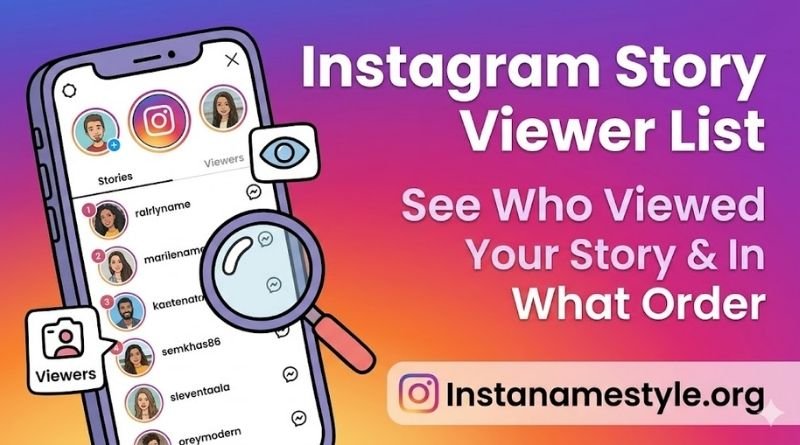
Have you ever posted an Instagram story and immediately wondered who actually watched it? You tap that little eye icon, and suddenly you’re scrolling through a list of names — maybe a little surprised, maybe a little confused about why certain people appear at the top.
The Instagram story viewer list isn’t just a random roll call. There’s a real logic behind it, and understanding that logic can tell you a lot about your audience — whether you’re a creator, a business, or just a curious user. But Instagram doesn’t exactly hand you a manual, and most people are left guessing about what viewer order means and how to make the most of their insta story views.
This guide breaks it all down for you. You’ll learn exactly how the instagram story viewer list works, what the viewer order really means, how to check ig story data effectively, and what tools and tips help you get more from your story analytics in 2026.
Table of Contents
What Is the Instagram Story Viewer List?
The instagram story viewer list is the running log of accounts that have watched your story within its 24-hour window. Every time someone taps through your story, Instagram records it — and you can see exactly who’s tuned in.
You’ll find this list by opening your story and swiping up (on mobile) or clicking the eye icon. The number next to the eye shows your total insta story views, while the full list shows individual usernames.
Key things the viewer list tells you:
- ✔ Who watched your story (by username)
- ✔ Total view count at a glance
- ✔ Any reactions or replies people left
- ✔ Whether the viewer is a follower or someone who found you via explore
Once your story expires after 24 hours, the viewer list disappears unless you’ve saved it to highlights. So if you want to track this data, make a habit of checking it before it vanishes.
How Does Instagram Story Viewer Order Work?
The instagram story viewer order is one of the most talked-about mysteries on the platform — and for good reason. The order isn’t strictly chronological, even though many people assume it is.
When your story is new and has fewer than 50 views, Instagram typically shows viewers in reverse chronological order — the most recent viewer appears first. But once you cross that 50-view threshold, Instagram’s algorithm takes over.
What the algorithm considers:
- 👉 How often that person interacts with your profile (likes, DMs, comments)
- 👉 How frequently you interact with their content
- 👉 Whether they visit your profile regularly without interacting
- 👉 Your mutual activity patterns and timing
This means the accounts appearing at the top of your instagram story viewer list are likely the ones Instagram’s algorithm considers your “closest” connections — or the ones most interested in your content. It’s not a stalker list, but it is a signal of engagement.
[Internal Link: How the Instagram Algorithm Works in 2026 — Full Breakdown]
How to Check Your Instagram Story Viewer List (Step-by-Step)
Ready to check ig story data right now? It’s easier than you think, and you don’t need any third-party tools to see your own viewer list.
- Open the Instagram app and tap your profile picture or the story ring at the top of your feed.
- While your story is playing, swipe up from the bottom of the screen (iPhone) or tap the eye icon (Android/newer versions).
- You’ll see the full instagram story viewer list — names, profile photos, and any reactions.
- Scroll through the list to see all viewers. Tap any name to visit their profile.
- If you want to save this data, screenshot the list before the 24-hour window closes.
⚠ Note: You can only view your own story’s viewer list. You cannot check ig story viewers for someone else’s story without their account access.
Instagram Story Viewer with Comments — What You Need to Know
Beyond just views, Instagram lets you see engagement more deeply through reactions and replies. The instagram story viewer with comments feature shows you who replied directly to your story — and what they said.
When a viewer sends a reaction (a quick emoji tap) or types a reply, it shows up in your DMs. But you can also see these reactions directly in your viewer list — a small emoji icon will appear next to their name.
How to make the most of story replies:
- ✔ Use polls, question stickers, or sliders to prompt responses
- ✔ Check your DMs after posting a story with interactive elements
- ✔ Reply back to commenters to boost engagement signals
- ✔ Use responses as inspiration for future content
The more interactions your story gets, the better Instagram’s algorithm treats your account overall. Replies count as strong engagement signals — much more than just passive views.
Instagram Story Mention Viewer — Track Who Engages with Your Tags
The instagram story mention viewer is a feature many users overlook completely. When you @mention another account in your story, Instagram notifies them — and they can choose to reshare it to their own story.
If someone reshares your mention, you’ll see it in your notifications. But more importantly, anyone who sees their reshared story becomes a viewer of your content indirectly — expanding your reach beyond your own followers.
Why mentions matter for growth:
- 👉 Collaborations via story mentions expose you to new audiences
- 👉 Brands and influencers track mention reshares as a key metric
- 👉 Mentioning others creates relationship-building opportunities
- 👉 Your story could reach thousands through a single reshare chain
To see who reshared your mention, go to your story, swipe up, and look for the “Reshared” section in your viewer data. It’s a goldmine for understanding organic reach.
Instagram Story Viewer Followers vs. Non-Followers
Your instagram story viewer followers section is self-explanatory — these are people who already follow you. But you might occasionally spot usernames in your list that don’t follow you, and that’s worth paying attention to.
Non-followers can view your stories if your account is set to public. This could be someone who found you through a hashtag, the Explore page, or a mutual friend’s reshare.
What to do with this information:
- ✔ If many non-followers are viewing, your content has reach potential — post consistently
- ✔ Consider adding a CTA sticker like ‘Follow for more’ to convert viewers
- ✔ Check if non-follower viewers share common interests — it reveals your target audience
- ✔ If you’re on a private account, only approved followers can see your stories
Understanding the split between instagram story viewer followers and non-followers helps you measure your organic discovery and tailor your content strategy accordingly.
[Internal Link: How to Grow Your Instagram Following Organically in 2026]
Tips to Get More from Your Insta Story Views
Getting views is good — but getting the right views and making them count is even better. Here are proven strategies to boost and leverage your insta story views in 2026.
- ✔ Post at peak hours — typically 7–9 AM and 6–9 PM in your audience’s timezone
- ✔ Use interactive stickers (polls, quizzes, questions) to turn passive viewers into engagers
- ✔ Add location tags and hashtags to expand your story’s discoverability
- ✔ Keep stories concise — 3 to 7 frames tends to hold attention best
- ✔ Use bold text and bright visuals in the first frame to stop scrollers
- ✔ Regularly check your instagram story viewer list to spot who’s consistently watching
- ✔ Reshare your most-viewed stories to highlights so they keep working after 24 hours
The accounts with the most consistent insta story views are those that post regularly and interact back. Your viewer list is a two-way street — acknowledge your audience and they’ll keep coming back.
Is It Safe to Use Third-Party Story Viewer Tools?
You may have come across tools that claim to let you check ig story viewers anonymously or see someone else’s viewer data. It’s worth addressing these directly.
⚠ Third-party tools that claim to show you another account’s story viewer list are almost certainly either ineffective or unsafe. Based on available information, Instagram’s API does not provide viewer data for other accounts’ stories to external apps.
Risks of third-party story tools:
- ✖ Account suspension or banning — Instagram actively polices unauthorized API access
- ✖ Data theft — reported by users who submitted credentials and later experienced account compromise
- ✖ Malware risk — unverified but claimed by multiple cybersecurity sources
- ✖ Privacy violations — your data may be harvested and sold
For your own story analytics, stick to Instagram’s native tools. If you need deeper analytics, Instagram Insights (available on business/creator accounts) provides detailed data on reach, impressions, and audience demographics — all safely and officially.
[Internal Link: Instagram Insights Explained — How to Read Your Analytics Like a Pro]
Frequently Asked Questions (FAQs)
Q1: What does the instagram story viewer list order actually mean?
The instagram story viewer order is influenced by Instagram’s algorithm after your story reaches approximately 50 views. Before that, it’s roughly reverse chronological. After that threshold, accounts you interact with most frequently — and those who engage most with your content — tend to appear higher in the list.
Q2: Can I see who viewed my story after 24 hours?
No — once your story expires, the viewer data disappears. If you want to save this information, screenshot your instagram story viewer list before the 24-hour window closes. Business and creator accounts can also access limited story metrics through Instagram Insights for a slightly longer window.
Q3: Why can I see non-followers in my instagram story viewer list?
If your account is public, anyone on Instagram can view your stories — including people who don’t follow you. They may have found you through the Explore page, a hashtag, or a reshared story. This is actually a great organic growth signal, so pay attention to these viewers.
Q4: How do I check ig story views on a business account?
To check ig story analytics on a business or creator account, open your story and swipe up as usual to see the basic viewer list. For deeper data, go to your profile, tap the Insights button, navigate to Content, and look under Stories. You’ll find reach, impressions, exits, and reply counts.
Q5: Does checking someone’s story put you on their instagram story viewer list?
Yes — absolutely. Any time you watch someone’s story while logged into your account, your username will appear on their instagram story viewer list. The only way to avoid this is to view stories without logging in (only possible for public accounts via a web browser, though Instagram has restricted this significantly in recent updates).
Final Thoughts
Your instagram story viewer list is more than just a list of names — it’s a window into your audience’s behavior, your content’s reach, and the relationships you’re building on the platform.
From understanding instagram story viewer order to leveraging the instagram story mention viewer feature, every data point Instagram gives you is an opportunity to create smarter, more targeted content. Whether you’re tracking instagram story viewer followers or analyzing your insta story views for growth, the tools are right there in the native app — no shady third-party software required.
The takeaway? Check your story data regularly, engage with your viewers, post consistently, and watch your reach grow. Your next viral story might just be one swipe-up away. 💡🚀✅