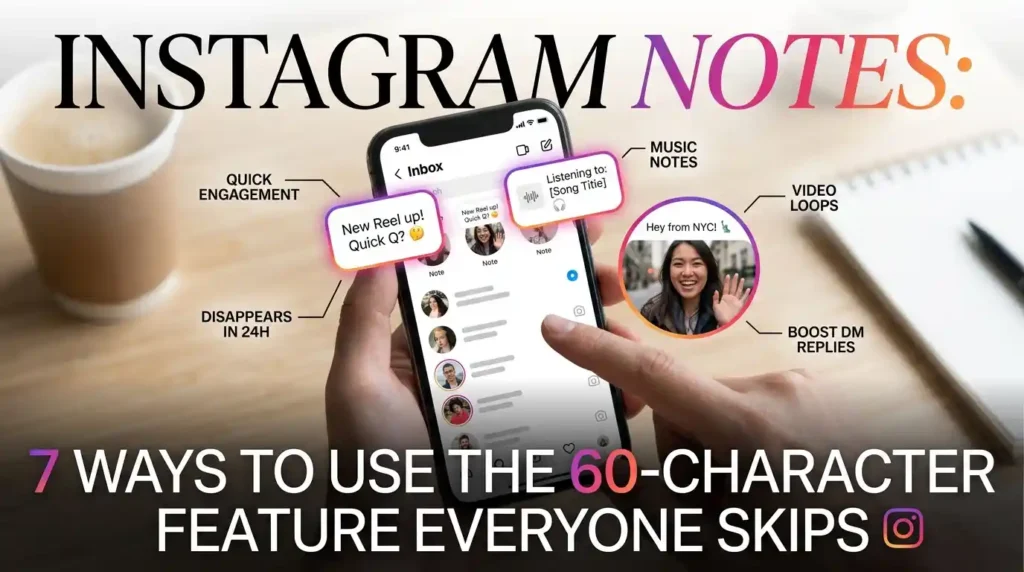
Open your DM inbox right now and there’s a row of tiny text bubbles sitting above your conversations, each one perched next to a profile photo. Most people scroll right past them. That’s Instagram Notes a 60-character status update that disappears after 24 hours and it’s quietly become one of the most underused engagement tools on the app, mostly because creators are too busy perfecting a Reel to notice something this small actually works.
This piece covers exactly how Notes function today, including the music and video options that didn’t exist at launch, how to use them for a brand or personal account without sounding like a corporate press release, and what to do when they mysteriously vanish from your inbox.
What Instagram Notes Actually Are, and How They’ve Changed Since Launch
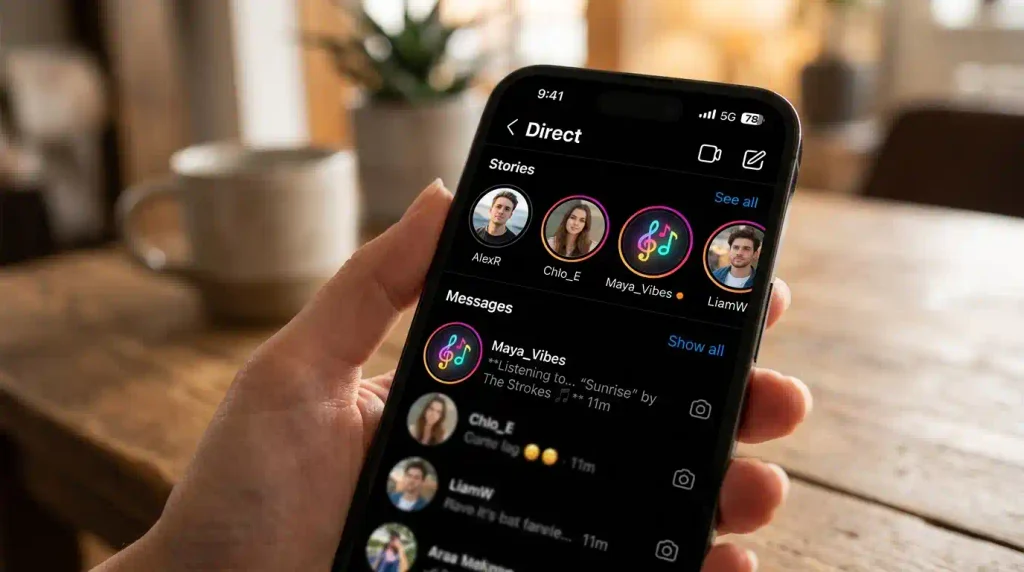
Instagram tested Notes starting in July 2022 and rolled the feature out widely that December, expanding to the EU and Japan the following January after Meta confirmed it needed to clear local regulatory hurdles first. At the time, it was just text 60 characters, visible for 24 hours, gone after that. The feature has grown since. Music Notes let you attach a short clip from Instagram’s library instead of, or alongside, plain text, and they tend to pull noticeably higher engagement simply because they stand out visually against a wall of text bubbles.
A two-second looping video Note is available too, letting you record a quick reaction that temporarily replaces your profile photo in the inbox genuinely useful for something like an eye-roll or a laugh that a sentence can’t quite capture. And since 2024, Notes aren’t locked to the inbox anymore; you can attach one directly to a published post or Reel, giving viewers extra context without editing the original caption.
Who can actually see my Instagram Notes?
Only two groups: your mutual followers people who follow you and whom you follow back or your Close Friends list, whichever audience you pick when posting. This trips people up constantly. If you’ve got 10,000 followers but only follow 200 back, your Note reaches those 200 people, not your full audience, so don’t expect Notes to work like a broadcast the way Stories do.
Getting the Format Right: Character Limits, Timing, and Media Options
Notes are deliberately restrictive, and that’s the whole point of the feature rather than a limitation to work around. You get 60 characters total, spaces and emojis included, and only one active Note at a time posting a new one automatically replaces whatever was there before. It disappears after 24 hours regardless of whether anyone’s replied. Music clips run up to roughly 30 seconds, and availability depends on your region, since not every country has the same licensing agreements Instagram’s music library relies on. Video Notes cap out at two seconds, looping continuously in place of your profile picture for the same 24-hour window.
That tight format forces a kind of writing discipline most social copy skips entirely. You genuinely can’t ramble in 60 characters, so a Note works best as a single sharp thought, a direct question, or a lyric fragment that invites someone to tap and reply not a mini-caption crammed down to fit.
Using Instagram Notes for a Brand or Creator Account
For businesses and creators, Notes solve a specific problem: getting into someone’s inbox without the production effort a Story or Reel demands. A flash-sale reminder, a one-line teaser before a launch, a quick “what should I make next?” question all of it lands directly at the top of the DM tab, which is genuinely prime real estate since people opening their inbox are already in a conversational mindset, not just passively scrolling a feed.
The catch is that reach depends entirely on your follow-back ratio, so a creator with a huge following but a small mutual-follower base will see limited results no matter how good the Note is. If that’s your situation, Stories still make more sense for broad reach; save Notes for the audience you actually want a reply from, and treat them as a conversation starter rather than an announcement channel on their own.
Should I repeat an important announcement somewhere besides a Note?
Yes, always. Since a Note vanishes after 24 hours and only reaches mutual followers or Close Friends, anything time-sensitive or important a restock, a deadline, a real announcement needs to also live in a Story, a post, or a direct message so it doesn’t disappear before most of your audience ever sees it.
Why Instagram Notes Sometimes Stop Showing Up
A missing Notes feature is almost always one of a handful of fixable causes, not a sign your account’s been shadowbanned. Start with the obvious: check that Instagram is fully updated through the Google Play Store or Apple App Store, since Notes has rolled out in stages and an outdated app version can simply lack the feature entirely. Next, check your audience settings if you accidentally muted a specific account’s Notes, or your own Activity Status is toggled off, replies and visibility can behave unpredictably.
If the app’s current and settings look right, clearing the app cache, logging out and back in, or as a last resort offloading and reinstalling the app tends to resolve the more stubborn glitches. Persistent issues after all of that are worth reporting directly through Instagram’s Report a Problem tool, since regional rollout gaps do occasionally explain why one account has the feature and another doesn’t.
Conclusion
Instagram Notes reward exactly the opposite instinct most social strategies chase instead of more polish, they work because they’re small, quick, and disposable. Whether you’re using them personally to ping close friends or professionally to nudge DM replies before a launch, the format stays the same: one sharp thought, 60 characters, gone in a day. Get comfortable with that constraint and Notes become one of the easiest, lowest-effort ways to keep a conversation going with the people who actually follow you back.
FAQs
Can I add music to an Instagram Note?
Yes, Music Notes let you attach a short clip from Instagram’s music library instead of or alongside text, though availability depends on your region and whether the song is licensed there. They tend to get noticeably more replies than plain text Notes simply because they stand out in the inbox.
Why can I only post one Instagram Note at a time?
Instagram limits accounts to a single active Note by design, so posting a new one automatically replaces whatever was there before. This keeps Notes feeling like a quick, current status update rather than a running feed people have to scroll through.
Do Instagram Notes go to all my followers?
No, Notes only reach mutual followers people you follow back or your Close Friends list, whichever audience you select before posting. A large following with few mutuals means a small actual Notes audience, so check your audience setting if replies seem lower than expected.
Why isn’t the Instagram Notes feature showing up on my account?
Usually it’s an outdated app version, so update through the Google Play Store or Apple App Store first. If that doesn’t fix it, clearing the app cache, restarting your phone, or checking whether Notes rolled out yet in your region typically resolves it.