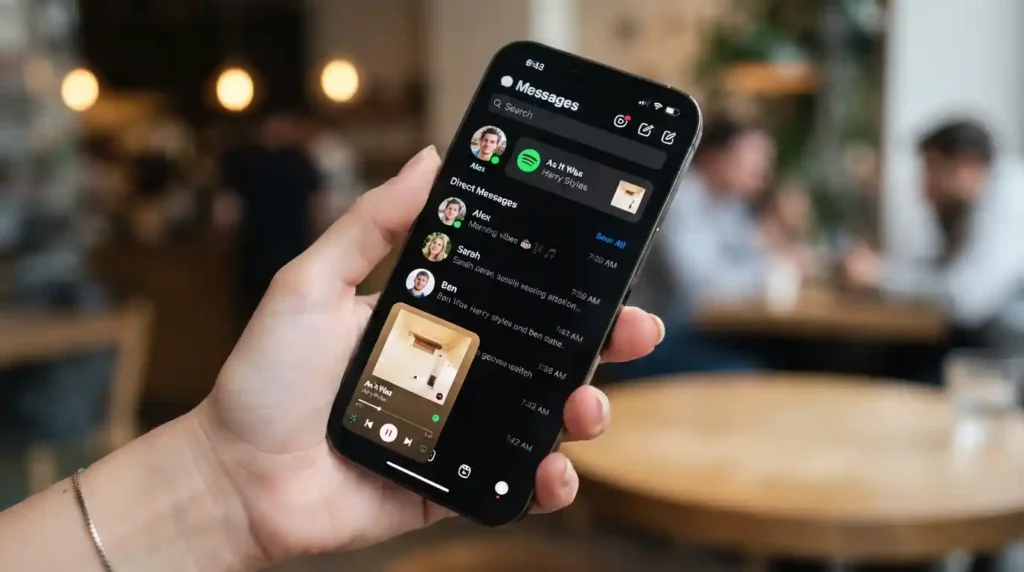
I found out about this feature the annoying way. Tapped the music icon on my own Note. Got nothing but a blank audio browser staring back. Turned out I just hadn’t linked the accounts yet. Two-minute fix, once I actually found the setting buried in Instagram’s menus. Instagram rolled this out globally on iOS and Android. Your Note updates automatically with whatever you’re playing on Spotify, no separate Story or Reel needed. This guide covers exactly how to link Spotify to Instagram Notes, step by step, plus what to do when the song doesn’t show up or the connection just won’t stick.
What Is the Spotify and Instagram Notes Integration?
This feature lets your Instagram Note display your current Spotify track in real time. Sits right above your DMs, visible to mutual followers. Instagram launched it alongside a related update, audio previews inside Stories, giving Spotify tracks shared there a short clip friends can hear before tapping through.
The whole thing runs off account linking done once. After that, it just works in the background. Connect Spotify to Instagram once, and tapping the music icon on a new Note pulls in whatever’s playing. No manual search needed unless you want a specific song instead of whatever’s currently on. I like that it kills the extra step of screenshotting an album cover or typing out a caption every single time I want to share something.
Does linking Spotify to Instagram Notes cost anything?
No, free on both apps. You don’t need Spotify Premium specifically to use it either. A free Spotify account works fine for linking and sharing, though playback controls inside the Instagram-triggered Now Playing view might behave a little differently depending on your plan.
How to Link Spotify to Instagram Notes
Two ways to connect the accounts. Both take under two minutes once you know where to look. I’d go with the settings method if you’re setting this up ahead of time, and the in-the-moment method if you’re already staring at a song you want to post right now.
Method 1: Link through Instagram Settings
Go to Instagram Settings. Tap “Your app and media.” Then “App website permissions.” Find Spotify in the list and tap to link it. Gets the connection done ahead of time, ready the next time you open a Note.
Method 2: Link while creating a Note or Story
Tap a Spotify song directly inside Reels, Stories, or while creating a new Note. Instagram prompts you with a “Link Spotify” option right there. First-time use redirects you to Spotify to confirm, then drops you back into Instagram automatically. I used this method myself the first time, honestly, because I had no idea the settings path even existed yet.
How do I share what I’m currently playing on Spotify to my Note?
Tap the music icon while creating a Note, then tap “Share from Spotify” in the audio browser. Actively playing something? It appears immediately. Nothing playing? Instagram grabs the next song you play within 30 minutes and updates the Note on its own. No need to reopen the app once it’s set up right.
Sharing From the Spotify Side Instead
You don’t have to start from Instagram at all. Spotify built its own path into this too. Push a song straight to Notes without ever leaving the app you’re already listening in.
Open the Now Playing view for any track. Tap the Share icon. You’ll see “Notes” sitting right next to the usual Instagram Stories and Direct Messages options. Tap it, and the song lands in your Instagram Note without switching apps at all. Honestly the method I use most now. I’m usually already sitting in Spotify when I hear something worth sharing, not parked in Instagram waiting around to post.
Can I add a caption to a song shared this way?
Yes, both methods let you add optional text before posting. Start from Instagram’s audio browser or Spotify’s Share menu, doesn’t matter, you’ll get a chance to type a caption before tapping “Share” either way.
Troubleshooting: Spotify Won’t Link to Instagram Notes
Happens more than you’d think. Rarely one single cause behind it too. I ran into my own version of this once, the Link Spotify button just refusing to show up no matter how many times I backed out and tried again.
Start with the basics before assuming something’s actually broken. Update both apps to their latest versions. This integration rolled out gradually, and older app versions might not show the option at all. Make sure you’re logged into Spotify on the same phone you’re using Instagram on, a mismatched login across devices is a common silent failure people miss. Button still missing after updating? Try logging out of both apps and back in. Or clear the Instagram cache specifically, which fixes a surprising number of these connection glitches on its own.
Why isn’t Spotify showing up in my Instagram Notes?
Usually one of three things. An outdated app version, a login mismatch between devices, or the feature not yet available in your region. Check Downdetector for a wider outage first. Sometimes the problem isn’t your phone at all, it’s a temporary service issue hitting a lot of users at once.
Conclusion
Linking Spotify to Instagram Notes takes about two minutes once you know where the setting lives. Instagram’s app permissions, or right in the moment while sharing a song. Once connected, your Note updates with whatever you’re playing automatically, no extra steps after that first link. Not working? Check for app updates and a matching login first. Solves most connection issues without needing to reinstall anything at all.
FAQs
How long does a Spotify song stay visible in an Instagram Note?
Notes generally expire within 24 hours, similar to how Stories work on the platform. Stop playing music on Spotify, and your Note stops updating in real time, but the last shared song typically stays visible until the Note itself expires.
Can I unlink Spotify from Instagram Notes later?
Yes. Go back to Instagram Settings, then “Your app and media,” then “App website permissions,” and remove Spotify from the linked accounts list. Stops the automatic sharing without touching your Spotify account itself.
Why does my Instagram Note still show “start playing” instead of a song?
Usually means Instagram hasn’t detected active Spotify playback yet, or the two accounts aren’t properly linked on the same device. Play a song on Spotify first, then check the Note again. Can take a moment to sync once playback actually starts.
Is the Spotify Instagram Notes feature available everywhere?
Rolled out globally for both iOS and Android, but regional availability can still vary a bit depending on app version and rollout timing. Option missing entirely? Updating both apps to their latest versions usually clears it right up.