My coworker spent a solid ten minutes trying to figure out why her Instagram note kept disappearing before anyone could see it, convinced the app was glitching. It wasn’t. She’d hit the one-note-at-a-time limit without realizing it, posting a second note automatically wiped out whatever she’d shared an hour earlier. Small detail, genuinely tripped her up for a while. This piece covers how the Instagram notes feature actually works, the specific limits that catch people off guard, and a few things worth knowing before you’re troubleshooting something that isn’t actually broken.
How the Instagram Notes Feature Actually Works
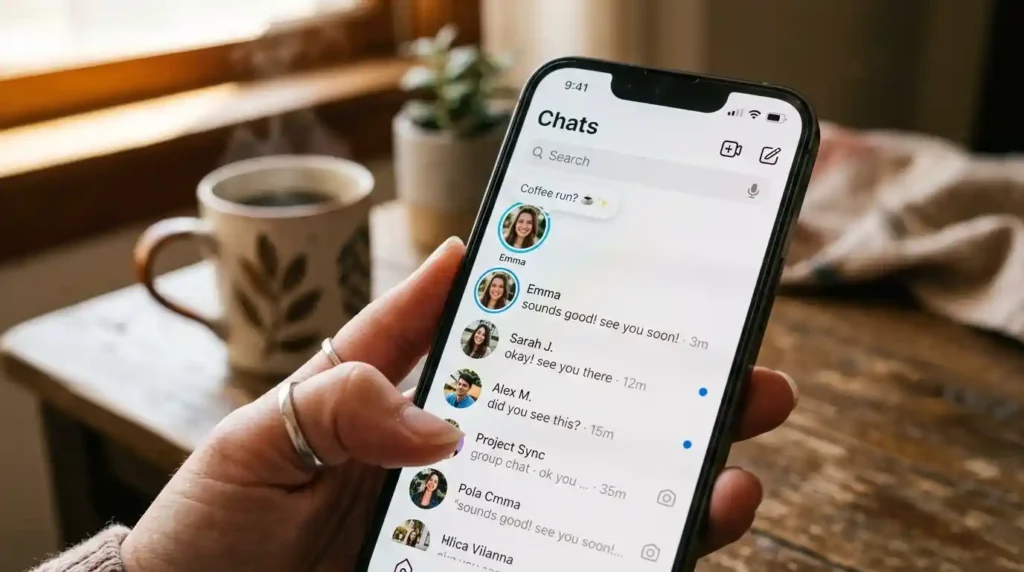
A note sits right above your DM inbox, a small text bubble attached to your profile picture. Any mutual follower or Close Friend sees it the second they open their messages. Sixty characters max. Gone after 24 hours. Only one live at a time, which is exactly the part that tripped my coworker up, she genuinely thought her earlier note had glitched out of existence when it had just gotten replaced by the new one.
Audience settings only give you two real options, Mutual Followers or Close Friends, nothing in between and no custom list beyond those two. She’d been posting to Mutual Followers this whole time without checking who actually falls into that category. A decent chunk of her own followers don’t follow her back, which meant her notes were reaching a much smaller crowd than she’d been picturing in her head the entire time.
What Is the Instagram Notes Feature Used For?
Honestly, my coworker figured this out the slow way, mostly through trial and error over a few weeks. She started out treating it like a mini caption, polished, a little performative. It landed flat every time. Instagram launched the feature back in December 2022 as something closer to a passing thought than an actual post, and once she stopped trying to write something quotable and just typed whatever she was actually thinking, people started replying.
The Character Limit and Why It Trips People Up
Sixty characters sounds like plenty until you’re actually writing one and realize a full sentence barely fits. My coworker’s first attempt got cut off mid-thought, Instagram just stops accepting input once you hit the limit instead of warning you ahead of time. She learned to draft in her notes app first, count characters, then paste it in once she’d trimmed it down enough to fit.
That tight limit turned out to be the whole point once she got used to it. A full quote or a detailed thought just doesn’t work in this space, the notes that read best on her account tend to be fragments, half a sentence, sometimes just a word. She only figured this out after a handful of attempts looked stiff and try-hard once they were actually live for people to see.
How Many Characters Can an Instagram Note Have?
Sixty characters, hard limit, no exceptions. My coworker’s early notes kept hitting this wall mid-sentence until she started deliberately writing short instead of trying to cram a whole thought in first and trim it after. Spaces count too, which caught her off guard the first time a note she thought would fit got rejected by just a few characters over.
Music, Video, and the Features Beyond Plain Text
A note can carry more than text, a short audio clip pulled from Spotify or Instagram’s own music library, around thirty seconds, or a two-second looping video. My coworker tried the video option exactly once, a quick clip of her coffee one morning, barely longer than a blink. She said afterward it felt weirdly personal in a way none of her text notes had, something about seeing an actual moment instead of reading words about it.
The music option changed things too, in a way she didn’t expect. She started pairing notes with whatever song happened to be playing while she worked, no real plan behind it. A couple of us started replying just to ask what the track was, myself included, which pulled a conversation out of something that would’ve stayed a silent little text bubble otherwise.
Can You Add Music to an Instagram Note?
Yes, Instagram lets you attach a short clip from its integrated music library, typically around thirty seconds, directly to a note. My coworker’s music-paired notes pulled noticeably more replies than her plain text ones, mostly because the song itself became something worth asking about. It’s one of the more underused parts of the feature, worth trying if your notes have been getting ignored lately.
When the Instagram Notes Feature Doesn’t Show Up
Sometimes a note just won’t appear, and it’s rarely an actual bug, usually something simpler. My coworker hit this once when she posted to Close Friends without realizing she hadn’t actually built that list yet, an empty list means nobody sees anything no matter how good the note is. Business accounts occasionally lose access to the feature entirely too, depending on how Instagram’s rolled out updates region by region.
App version matters more than people expect as well. She was running an outdated version for a few weeks without noticing, and other people’s notes just weren’t rendering properly in her own inbox during that stretch. Updating the app fixed it immediately, almost too simple after she’d spent weeks quietly assuming her account was restricted somehow.
Why Isn’t My Instagram Note Showing Up to Followers?
Usually it comes down to audience settings, an empty Close Friends list means nobody in that group sees the note at all. An outdated app version can also stop notes from rendering properly on either end, posting or viewing. My coworker’s issue was exactly this, updating her app resolved what she’d assumed was some kind of account restriction for weeks.
Conclusion
The Instagram notes feature is simpler than it looks on paper, but the specific limits, 60 characters, one note at a time, two audience options, catch nearly everyone off guard at least once. My coworker’s confused ten minutes staring at a disappeared note came down to a single detail she hadn’t read anywhere before hitting it firsthand. Know the character limit going in, check which audience you’re actually posting to, and keep the app updated if notes stop showing up the way they should.
Frequently Asked Questions
How long does an Instagram note last before disappearing?
A note automatically disappears after 24 hours, similar to a story but displayed above your DM inbox instead of in the main feed. There’s no way to extend or save it once it expires, so it’s meant for something timely rather than lasting content.
Why did my Instagram note disappear before 24 hours?
Posting a new note automatically replaces whatever note you had active before, since only one can be shown at a time. This is the most common reason a note seems to vanish early, it hasn’t actually expired, it’s just been overwritten by a newer one.
Who can see my Instagram notes?
Only Mutual Followers, people who follow you and who you follow back, or your Close Friends list, depending on which audience setting you choose when posting. Instagram doesn’t offer a fully public notes option, so anyone outside those two groups won’t see it at all.
Can businesses use the Instagram notes feature for marketing?
Yes, though it works best as a soft, conversational nudge rather than an obvious promotional message, since it sits in a personal inbox space rather than a public feed. Some business accounts have reported the feature being temporarily unavailable during certain app updates, so checking for the latest version helps if it’s missing.